Meet the Learn Just Enough App: Create and Practise Your Own Audio Lessons
Learn Just Enough is now available on iPhone and iPad. You can create audio language lessons about a conversation you want to have, then listen and practise with the words and translations in front of you. Start with something concrete: ordering breakfast near your hotel, finding the train station, or talking about your work.
The app grew out of the same idea as this site: learn enough to take part in the situation in front of you. A lesson gives you a conversation to hear and language to practise. Real people will still answer in their own words, so practise listening to the replies too.
Download Learn Just Enough on the App Store. You can try public General lessons without an account. Google Play is coming soon.
App details checked on 12 October 2026. The screenshots below come from our iOS App Store listing.
Try a lesson before signing up
Open the app and choose the guest option on the sign-in screen. Browse the public General lessons, choose a lesson, and start listening. This gives you a feel for the audio and player before you create an account.
Guest listening doesn’t save your progress. Sign in when you want your own lesson library and a saved place to return to. You don’t need to create a custom lesson just to hear how the app works.
Set up your learning language
Sign in with your email and follow the sign-in instructions. Choose the language you want to learn and your level during setup. Pick a level that lets you understand most of a short exchange; you can make the next lesson harder once you can answer without reading.
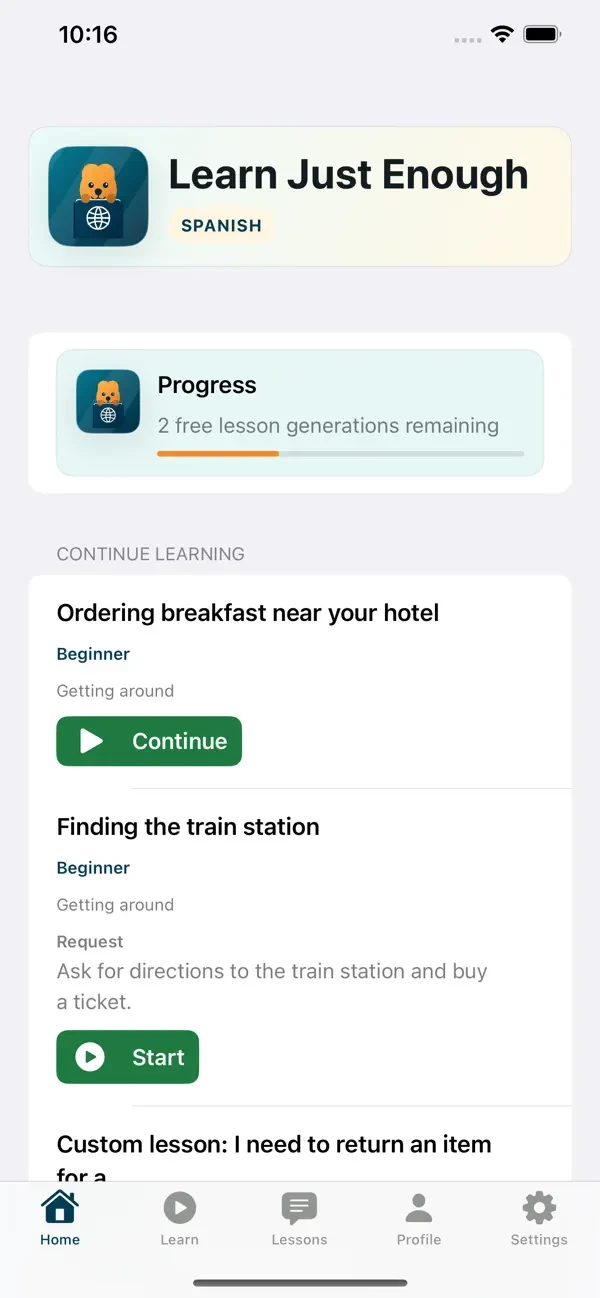
Your Home screen brings your lessons together. Tap Start for a new lesson or Continue to return to one you’ve already opened. The progress area also shows your lesson-generation allowance.
Create your first lesson
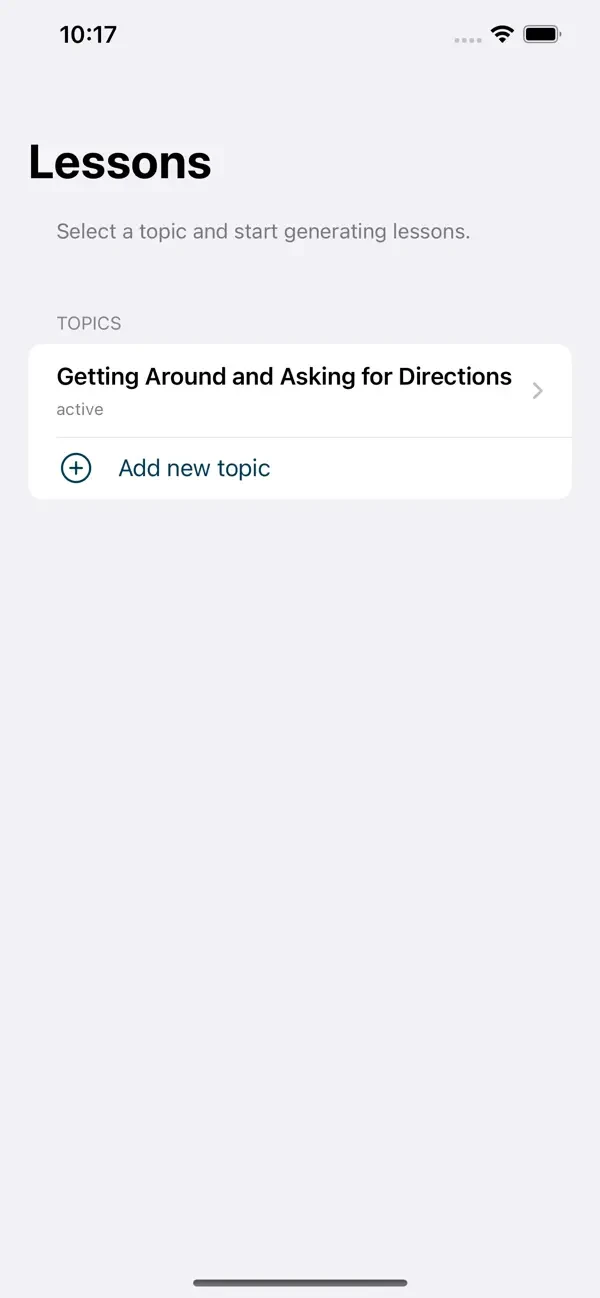
Go to Lessons and choose a topic. A topic groups lessons around something you want to practise. You can add your own with Add new topic; a name such as “Getting around” is enough to keep related lessons together.
Inside your topic, choose a suggested lesson idea or write your own request in Custom lesson. Describe what you want to say or do, then tap Generate lesson. Follow the generation progress and open the lesson once it’s ready.
A specific request gives the lesson a clear job. For example:
I’m a beginner learning Spanish. I want to order breakfast at a café in Bogotá. Include asking whether I can sit outside, ordering coffee and toast, and understanding the server’s questions. Give me a way to ask them to repeat an answer more slowly.
Name the place if regional wording matters. Say what you already know and what you need to handle next. Keep the request focused on one encounter so you can practise the whole exchange.
Our Bogotá coffee guide can help you choose a first café topic. If you’re learning French, the Montréal bookshop guide gives another scene to practise, including asking for a slower reply.
Listen with the transcript, then practise speaking
Open a ready lesson to use the Learn screen. The player shows the conversation in the language you’re learning, with English translations underneath. The highlighted line helps you follow your place in the audio.
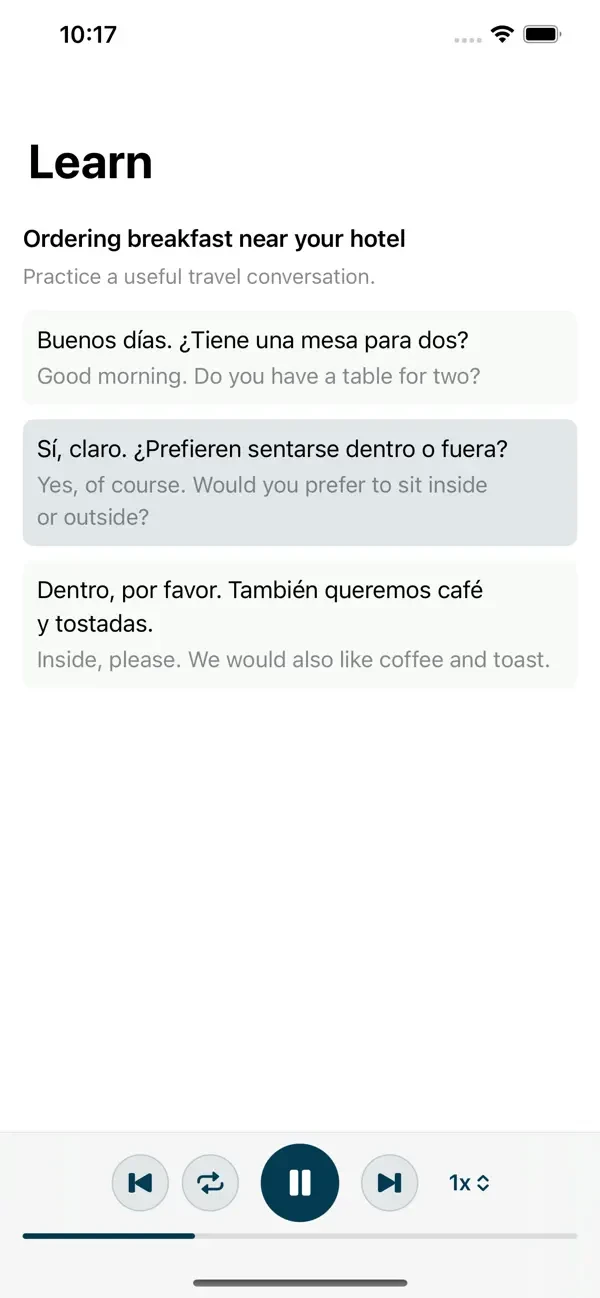
- Play or pause to listen at your pace. Pause when you want another moment to say a line.
- Move between sentences to return to a reply you missed or skip to the part you want to review.
- Replay a phrase and say it aloud after the voice. Use the translation to check what you’re saying.
- Change playback speed if you need more time to hear the words. Return to a faster pace when you can follow the exchange.
On your first pass, listen and read. On your next pass, try saying your part before you check the text. Practise the other person’s questions too: recognising “here or takeaway?” is what lets you use the answer you’ve learned.
Build a small review routine
For a first session, choose one lesson and spend about ten minutes with it. That time is a suggested routine, not the length of every lesson.
- Listen through once with the transcript.
- Replay the part you couldn’t follow and say your answer aloud.
- Try the exchange again while looking away from the text.
- Return to the same lesson tomorrow before you generate another.
Keep lessons grouped by situations you’ll actually use. A small set you can answer aloud may help you more than a long library you’ve heard once. When a lesson becomes easy, make the next request more specific or raise the level.
What’s free, and when do you need a subscription?
You can download the app and listen to public General lessons without an account. Free accounts can generate three lessons in one language. Monthly and annual subscriptions allow more generation, with limits of 10 generations per 24 hours and 100 per 30 days.
Check the subscription screen in the app for your local price and renewal terms before you subscribe. Start with the free lessons if you want to see whether this way of listening and speaking fits your routine.
You can read our app privacy policy before signing in. For help, visit Learn Just Enough support.
Get Learn Just Enough for iPhone and iPad, try a General lesson, and choose one conversation you’d like to practise next.